
Easy On Hold® for Cisco UCCE & PCCE
Deliver Cisco Compatible live music and messaging to contact-center queues using VVB and the on-premises Streaming Queue Music virtual appliance.

Cisco UCCE and PCCE Live Queue Music for VVB
Easy On Hold® Streaming Queue Music™ (SQM) is a Cisco Compatible solution for on-premises UCCE and PCCE contact centers using Cisco Virtualized Voice Browser. Easy On Hold supports VVB deployments from versions 12.5 through 15.
The SQM virtual appliance is installed on the customer network, typically close to the VVB servers. It maintains an outbound HTTPS connection to the managed Easy On Hold audio service, then locally transcodes and serves live PCM audio to VVB clients. Local HTTP delivery is recommended when appropriate to reduce encryption overhead; HTTPS/TLS can also be configured.
Contact-center and marketing teams control licensed music, messages, priorities, daypart greetings and scheduled start and stop dates in the Easy On Hold Content Control Center™. The result is a dynamic queue experience without repeatedly exporting, loading and replacing static audio files.
How the Cisco UCCE Streaming Queue Music Solution Works
Deploy the SQM Virtual Appliance
Import the supplied SQM appliance into the approved VMware or VirtualBox environment. A typical starting allocation is one CPU core, 1 GB RAM and 10 GB storage per appliance. Place it on a LAN segment with reliable access to the VVB servers.
Allow Stream and Status Connectivity
Provide DNS, NTP and outbound HTTPS connectivity to the Easy On Hold audio and status services, typically on port 443. The SQM web-service port and route are configurable; local PCM delivery commonly uses HTTP on port 80.
Configure VVB Stream Requests
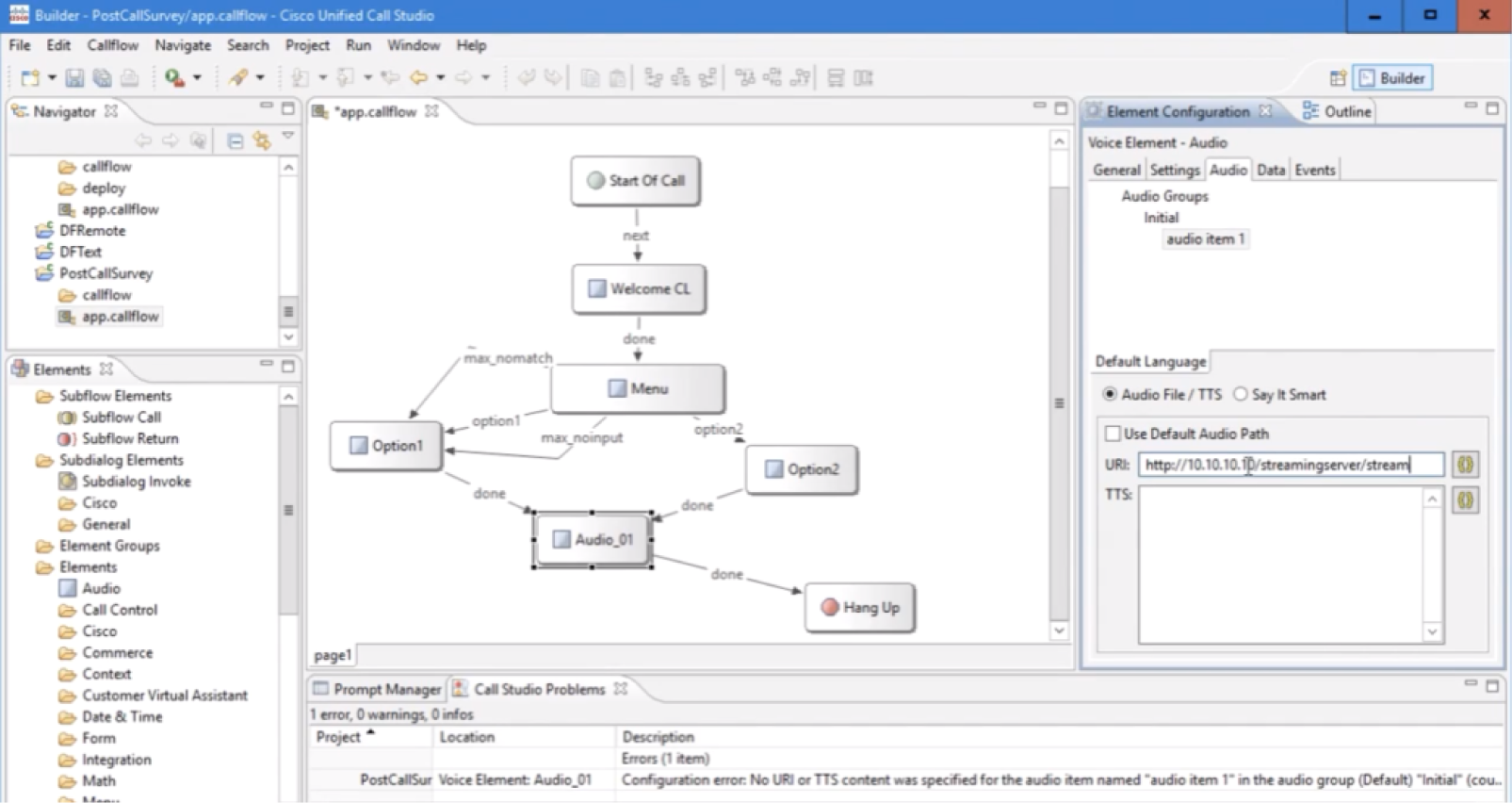
Point the Cisco VVB application to the SQM route using a standard HTTP GET. SQM serves the stream as application/octet-stream with telephony PCM audio in 8-bit, 8 kHz, mono G.711 µ-law or A-law as required by the design.
Test, Monitor and Plan Failover
Validate connection time, audio quality and peak concurrent listeners through VVB. Confirm reconnect and fallback behavior for lost streams. For redundancy, use multiple SQM instances with an approved load balancer, reverse proxy or DNS approach.
Cisco UCCE Streaming Queue Music FAQs
Common questions about the on-premises SQM appliance for UCCE, PCCE and VVB.
Yes, the same SQM supports CUCM RTP Multicast streams. While this page is specifically for UCCE and PCCE contact-center queue audio, CUCM agent-hold music has additional implementation options and is addressed separately.
SQM provides live PCM streams using 8-bit, 8 kHz, mono audio. The HTTP response is presented as application/octet-stream for VVB clients.
A single SQM appliance has been tested with more than 500 concurrent audio listener clients. Final sizing should account for the number of streams, expected call concurrency, network design, redundancy and the resources assigned to the virtual machine.
The SQM dashboard shows connection statistics, service status and currently playing content. The appliance reports usage and diagnostic information to Easy On Hold and supports remote configuration for authorized support. Dashboard access can use username/password or client-certificate authorization.
The VVB client design should detect a lost stream, retry the connection and fall back to an alternate source after retries are exhausted. Multiple SQM instances can be used with an approved redundancy design to reduce dependence on a single appliance. SQM can play internal static audio files from a local playlist. The appliance keeps trying to restore the managed stream connection.
Get Info & Request a Demo
Tell us a little about your contact center and we’ll show you how Easy On Hold can elevate your queue experience.